Bought on Etsy? Get your license key →
Cross stitch pattern maker for Windows

Turn any picture into a pattern you'll love to stitch.

Stitchers Aid turns photos into real DMC thread patterns, rebuilds charts from an image so you can edit them, and walks you through stitching block by block.

One-time purchaseNo subscriptionUse on 3 computersFree updates
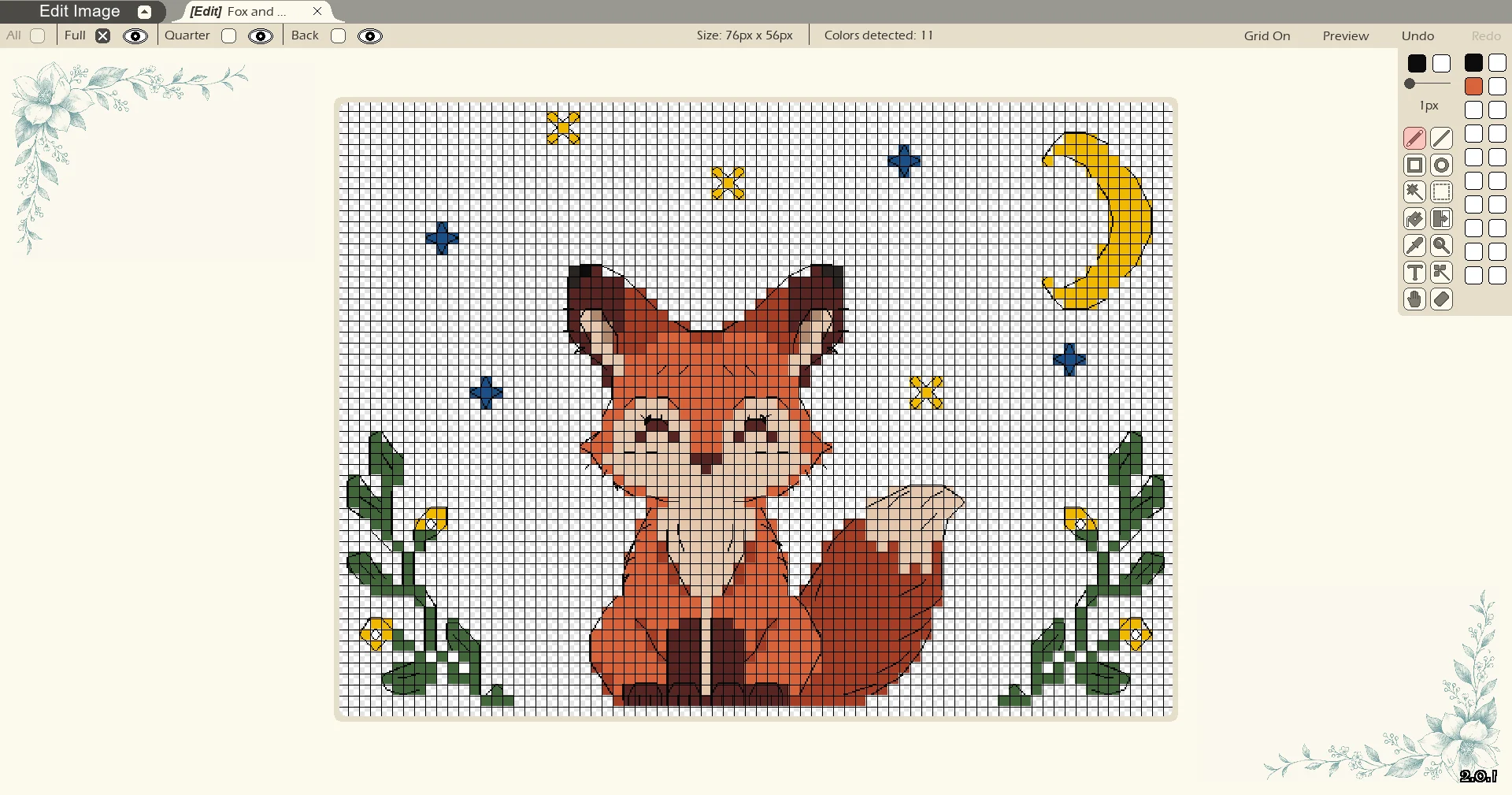
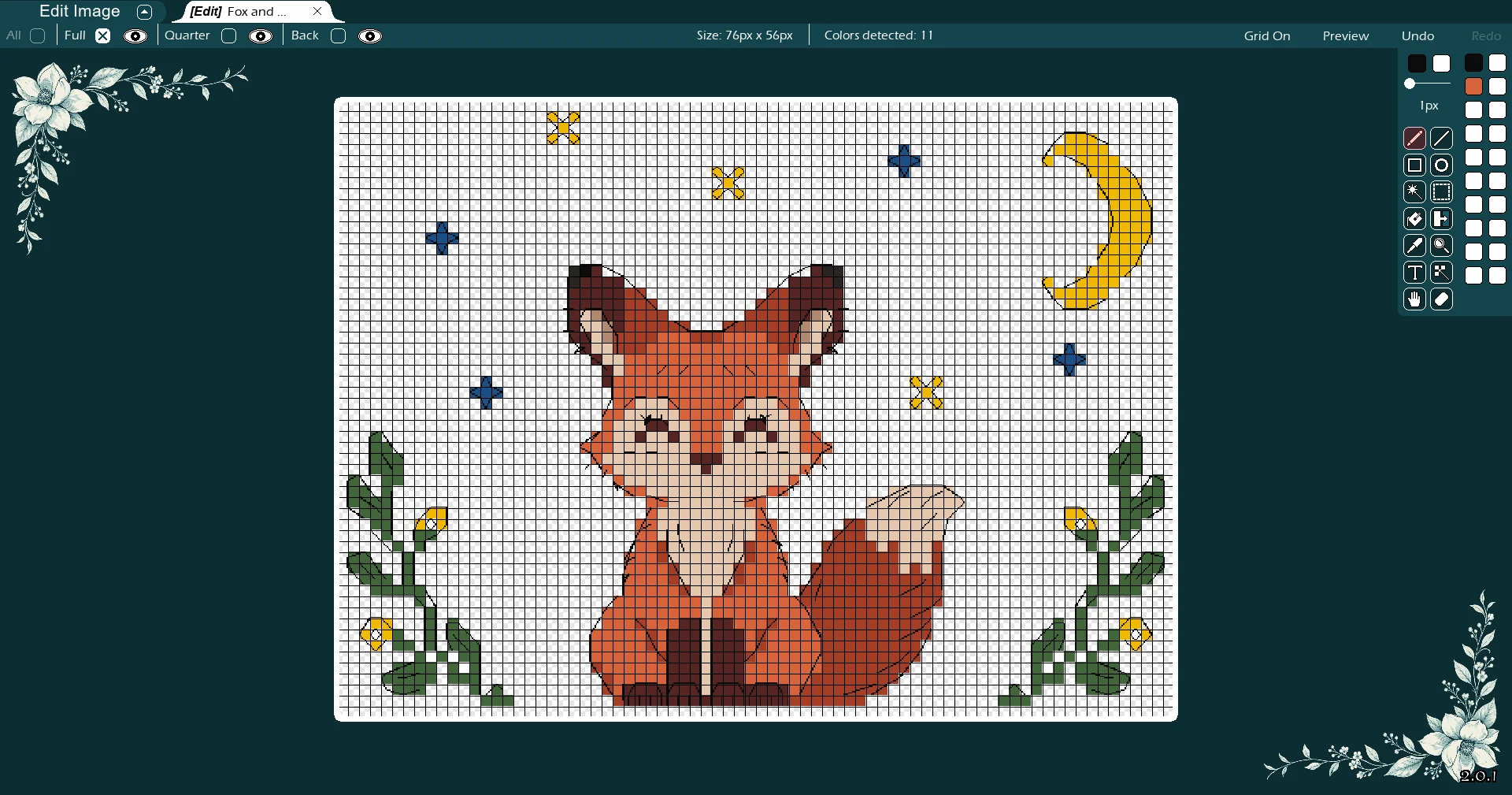
Stitchers Aid Edit mode in light mode, showing the fox and moon pattern
Edityour charts
Createfrom photos
500 × 500stitches per pattern
80colors
The star of the show

Turn a chart into an image you can edit.

Have a chart as a flat image or PDF? Stitchers Aid can rebuild it as a real pattern you can edit, stitch and print fresh.

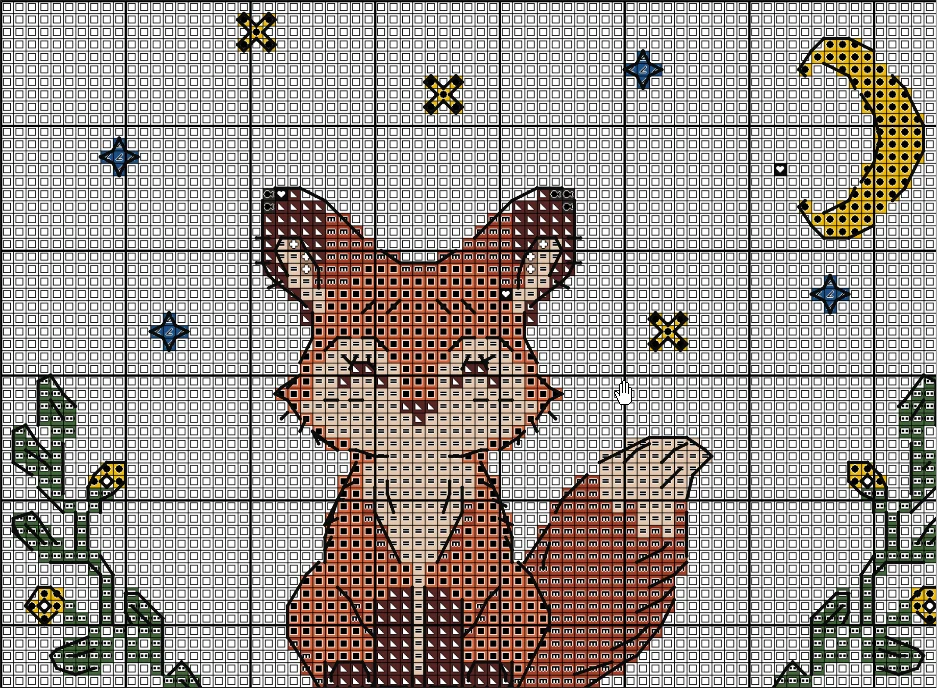
1. Your chartPNG, JPG or PDF
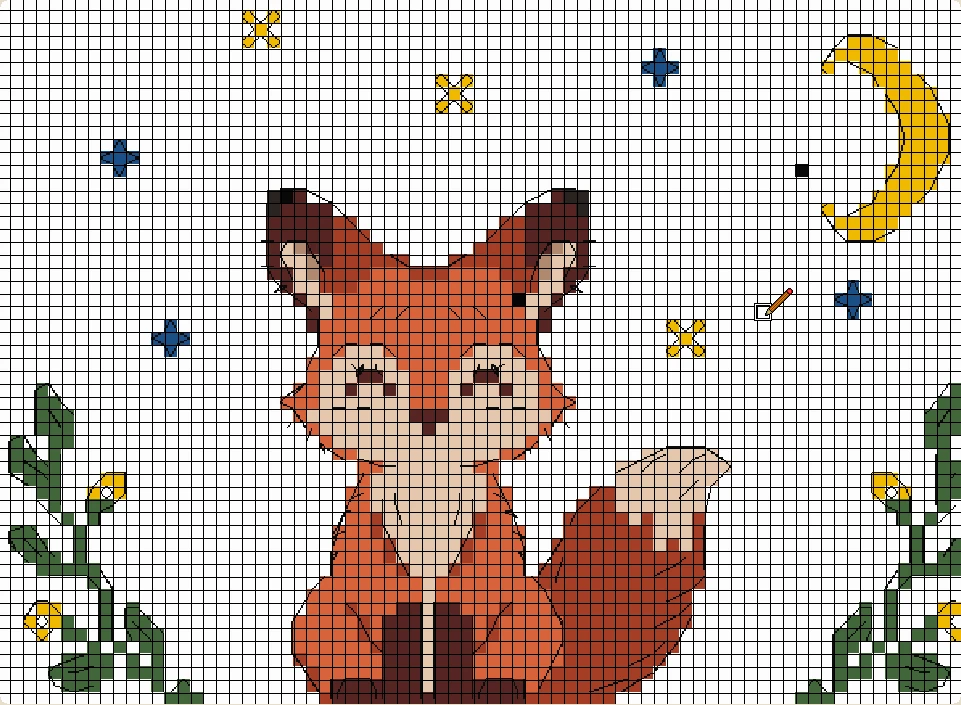
Fox and moon cross stitch chart image with symbols
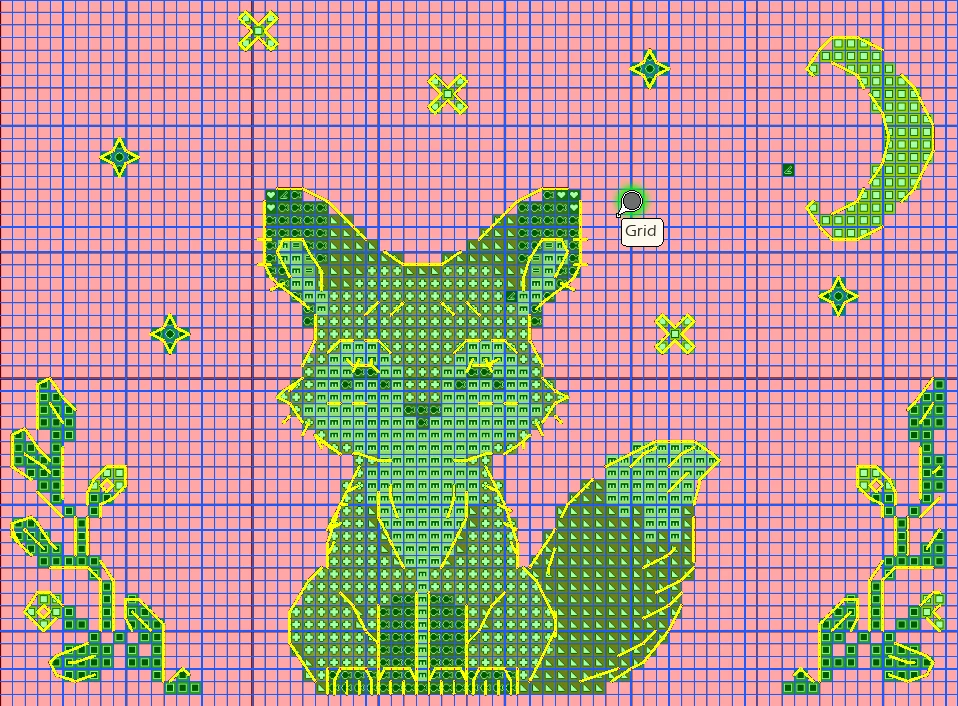
2. Stitchers Aid can interpret itEvery symbol
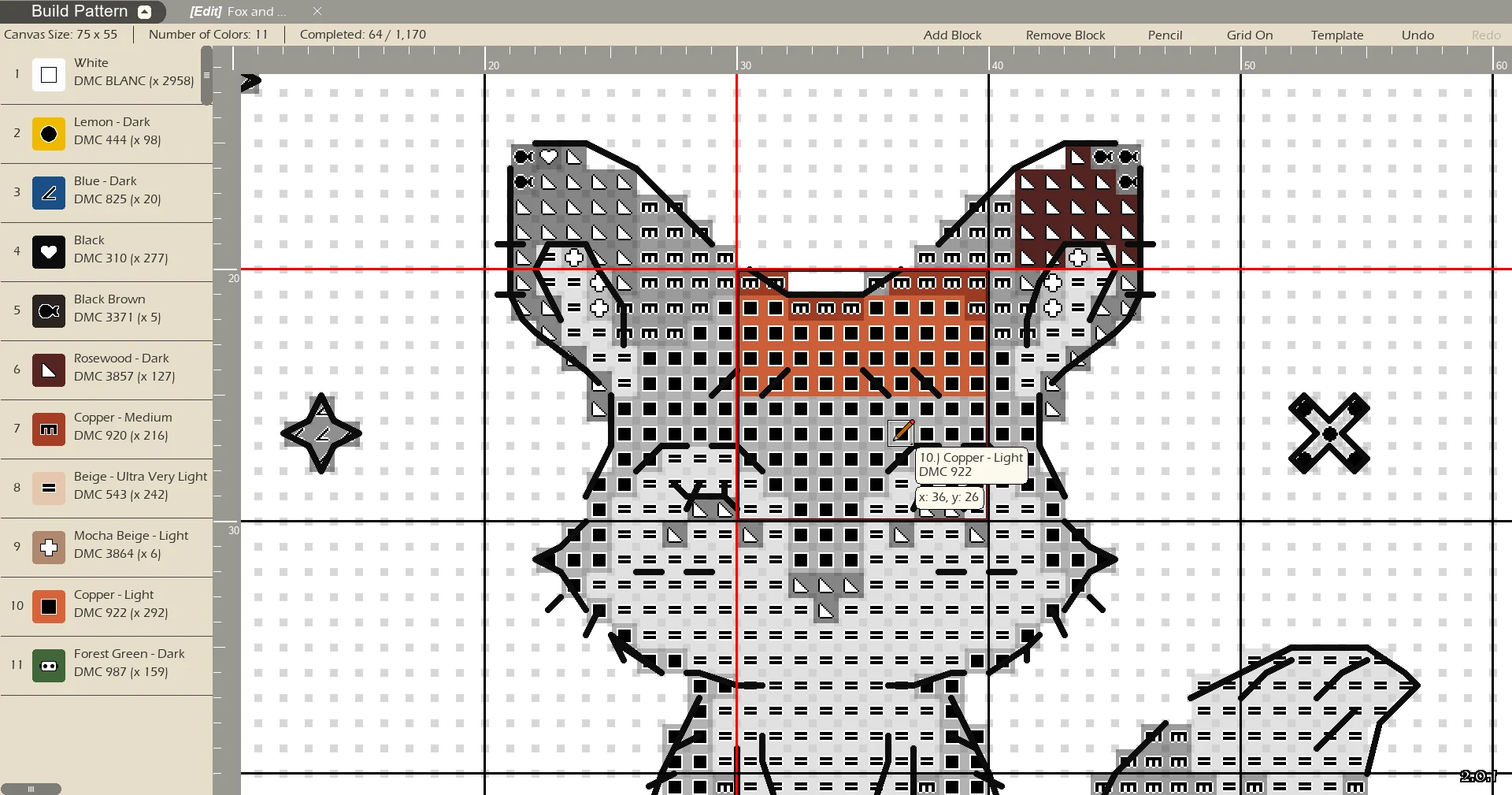
Stitchers Aid chart capture reading the fox chart, with each detected symbol and back stitch highlighted on the grid
3. Edit patternFull and back stitches
The captured fox and moon pattern in Stitchers Aid, with full stitches and back stitches
1

Open the chart

Load an image or PDF.

2

Match the key

Input DMC thread for each symbol or let Stitchers Aid approximate it for you.

3

Get a real pattern

Edit every stitch. Fix mistakes, de-confetti and change colors. Build it with the in app builder or export a fresh PDF.

Works best with clean, straight chart images; faded scans and angled photos may need touching up. Chart capture is for charts you own.

Everything from first picture to final stitch

Powerful where it matters, simple everywhere else.

Build mode with the fox pattern, thread list with DMC numbers and stitch counts, and the current block highlighted
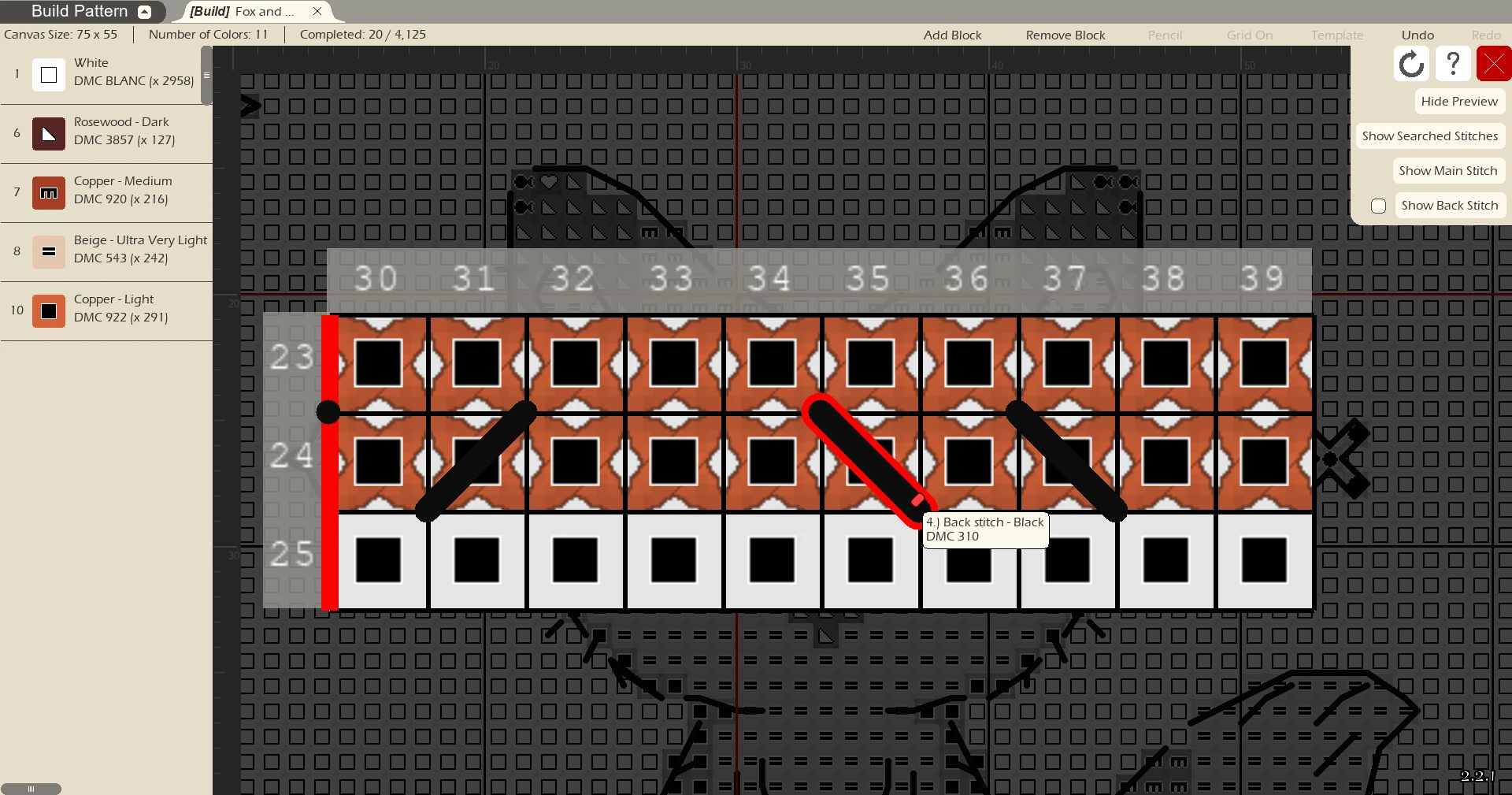
Build mode close-up of one block with row and column numbers, symbols and back stitches
Build mode

Stitch from your screen, one block at a time

No more highlighters and lost places. Build mode puts the pattern on screen and keeps track of where you are.

  • Work one block at a time, with row and column numbers
  • Thread list with DMC numbers, names and stitch counts
  • Search to highlight every stitch of one thread
  • Find incomplete stitches and track how many are done
  • Back stitches on or off, in color or a black and white template
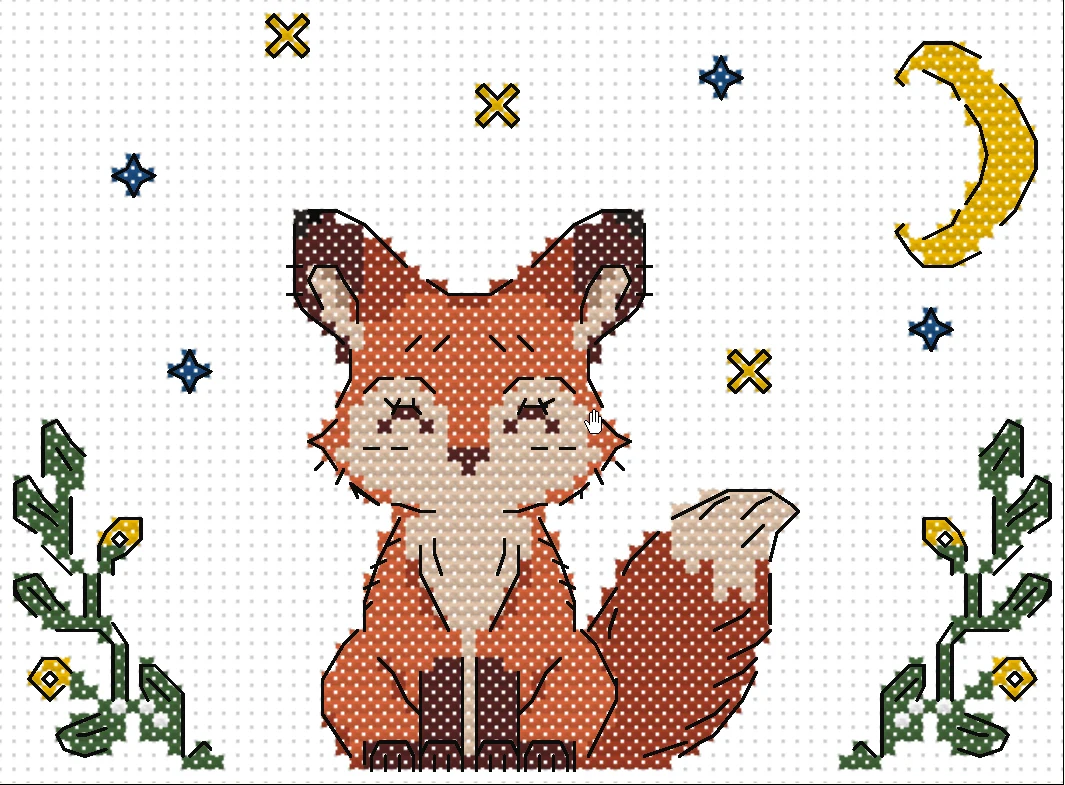
Stitchers Aid preview showing the fox pattern as stitched thread on fabric, with back stitches
Preview

See it stitched before you start

Preview your pattern as a real stitch on fabric with back stitches included. Check colors and details before you start.

  • Full, quarter and back stitches
  • Catch stray stitches and odd colors early
  • Easily switch back to editing
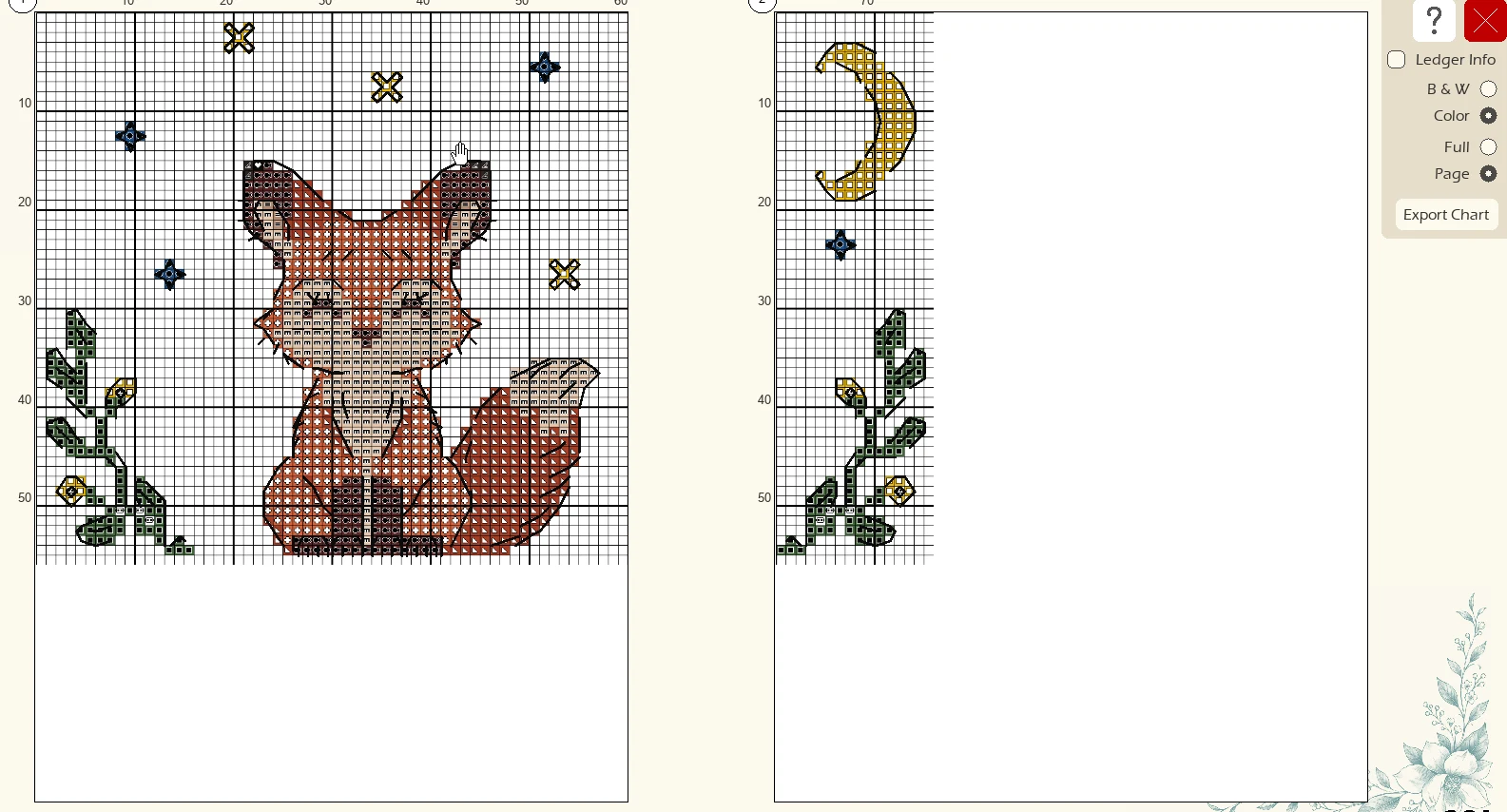
Export Chart screen showing the fox pattern split across two printable PDF pages with row and column numbers, symbols and back stitches
Export chart

Print-ready PDF charts

Turn any pattern into a PDF that you can print or open. See exactly how each page will look before you export.

  • Large patterns split across numbered pages
  • Row and column numbers with bold lines every 10 stitches
  • Color or black and white charts
  • Print the whole pattern on one page, or page by page
  • Optional ledger info with thread key
Editing

Perfect every stitch

Converted patterns are just the start. Clean them up and make them yours.

  • Pencil, fill, line, shapes, eraser and text
  • Deconfetti wand that cleans up stray single stitches
  • Brightness, saturation and sharpness
  • Full, quarter and fine back stitch layers
Charts

Clear charts with thread key

Every color gets its own symbol, DMC number and name, plus a count of how many stitches use it, so you know what to buy.

  • Export printable PDF charts
  • Save .said pattern files to share with other Stitchers Aid users
Tools

Every tool you need, one click away

Pick a thread color, set the brush size, and choose a tool. Every tool works on full, quarter or back stitches.

Deconfetti wand
Clean up confetti in seconds

Images often leave isolated stitches of odd colors scattered through a pattern — often called confetti. Brush over an area with the deconfetti wand to swap lone stitches with a color around it (or remove it).

PencilDraw stitches one at a time or with a bigger brush.
LineDraw straight lines of stitches.
RectangleDraw boxes and borders.
CircleDraw circles and ovals.
Magic wandSelect an area of matching color.
SelectSelect a rectangle to move, copy or clear.
FillFill an area with one thread color.
ReplaceSwap one thread color for another.
Color pickerPick up a thread color from the pattern.
ZoomZoom in and out of the pattern.
TextAdd lettering to your pattern.
HandMove around the pattern.
EraserRemove stitches.
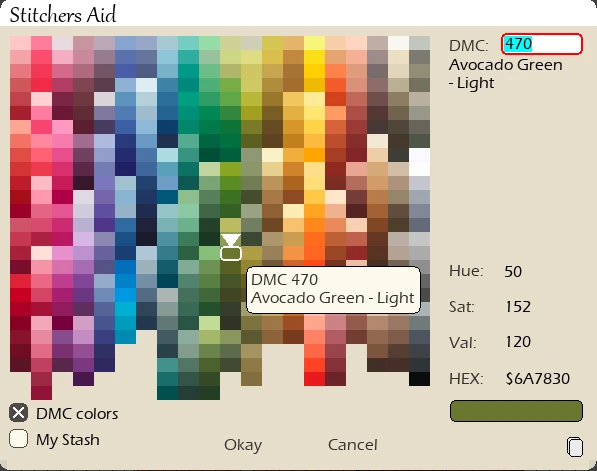
Stitchers Aid color picker showing every DMC thread color, with DMC 470 Avocado Green - Light selected
Color picker

Every DMC thread at your fingertips

Choose colors from the full DMC range, laid out by shade so the right thread is easy to find.

  • Hover any color to see its DMC number and name
  • Type a DMC number to jump straight to it
  • Hue, saturation, value and hex shown for every color
  • Switch to My Stash to pick only threads you own
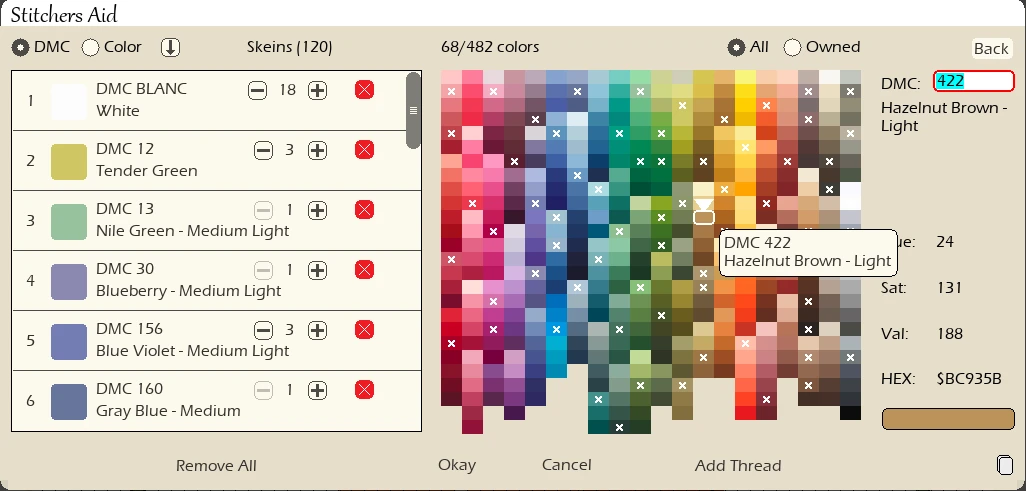
My Stash with a list of owned DMC threads and skein counts, and owned colors marked in the palette
My Stash

Keep track of the threads you own

Build a list of the DMC skeins in your drawer, then make patterns using only those colors. No extra trip to the craft store.

  • Add threads and count skeins with plus and minus buttons
  • Owned colors are marked with an × right in the palette
  • Sort by DMC number or by color, and show all or owned only
  • See how many colors and skeins you have at a glance
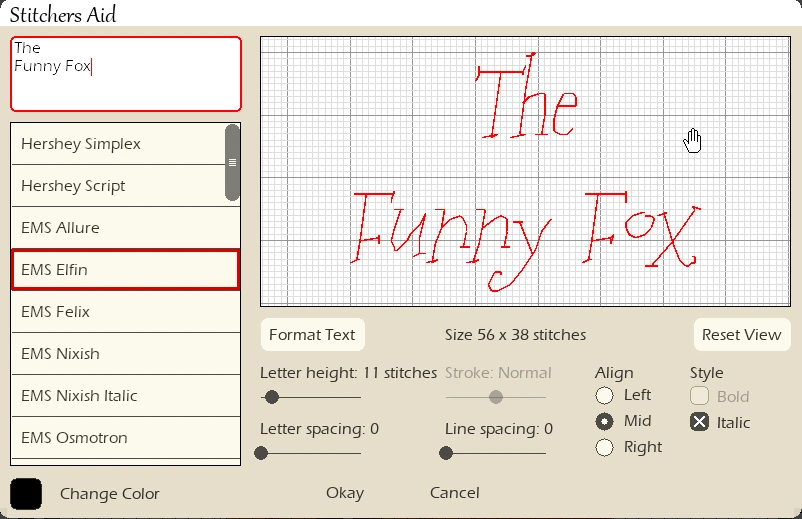
Stitchers Aid text tool with The Funny Fox on two lines in an italic script font, with letter height, spacing, alignment and style controls
Text

Add names, dates and sayings

Type your words, pick a font, and see exactly how they'll look in stitches before you place them.

  • A range of fonts, from simple lettering to flowing script
  • Live preview on the grid, with the size in stitches
  • Set letter height, letter spacing and line spacing
  • Multiple lines, aligned left, center or right, in bold or italic
  • Back stitch styles: outline, smooth outline or lines only
  • Choose separate thread colors for the fill and the back stitches

How it works

From picture to pattern in minutes.

1

Import a picture

Open a photo or artwork (PNG, JPG or PDF) and determine the new dimensions.

2

Shape your pattern

Match colors to DMC threads, and tidy up with editing tools.

3

Stitch

Print a PDF, or stitch straight from the screen in builder app and track your progress.

Buy it once. Keep it.

Many pattern apps charge every year. Stitchers Aid is one payment, with updates included.

Stitchers AidTypical subscription app
Price$24.99 once$20 or more every year
Make patterns from any pictureYesVaries
Edit every stitchYesOften limited
Track stitching progressYesYes
UpdatesFreeWhile subscribed

One price. Everything included.

Try the free demo. Purchase when you're ready.

Stitchers Aid license
$24.99
One-time purchase
  • Every feature, with saving and exporting
  • Use on up to 3 computers
  • Free updates
  • License key on screen and by email, instantly

Secure checkout by Stripe · Sales tax added where required
Bought on Etsy? Get your license key

Questions

Can't find an answer? Email support@stitchersaid.com

What can I do in the free demo?

All features except saving or exporting.

Does it work on Mac?

No. Stitchers Aid currently runs only on Windows 10 / 11. However, there are plans to expand Stitchers Aid to iOS (including Mac).

How many computers can I use it on?

Each license works on up to 3 computers.

Which threads does it use?

Patterns use real DMC stranded cotton colors.

How big can a pattern be?

Up to 500 × 500 stitches (and 80 colors).

How does chart capture work?

Open an image or PDF of a chart, tell Stitchers Aid which DMC thread each symbol stands for, and it rebuilds the chart as an editable pattern.

Can I get a refund?

Yes. Try the free demo first to make sure Stitchers Aid is right for you. If it isn't, email support@stitchersaid.com within 30 days of purchase for a full refund. Your license is deactivated once refunded.

I lost my license key. How do I get it back?

It's in the email we sent when you bought Stitchers Aid. Can't find it? Email support@stitchersaid.com and we'll send it again.

I bought on Etsy. Where's my key?

Go to stitchersaid.com/etsy and enter your Etsy order number.
Your next project starts with a picture.

Download the free demo and turn a favorite photo into a pattern tonight.